Built for the grabs Live Text misses
Slides, video frames, locked PDFs, remote desktops, error dialogs — capture, clean, and recall without cloud OCR.
Capture
⌘⇧O, draw a box, paste. Works across apps, video frames, and dialogs Live Text never sees — including QR and barcodes.
Private
Apple Vision runs on your Mac. Screenshots and extracted text stay on-device. Nothing leaves for cloud OCR.
Cleanup
Join lines, trim noise, normalize bullets, keep code readable. Paste-ready text from the result HUD — not raw OCR soup.
Recall
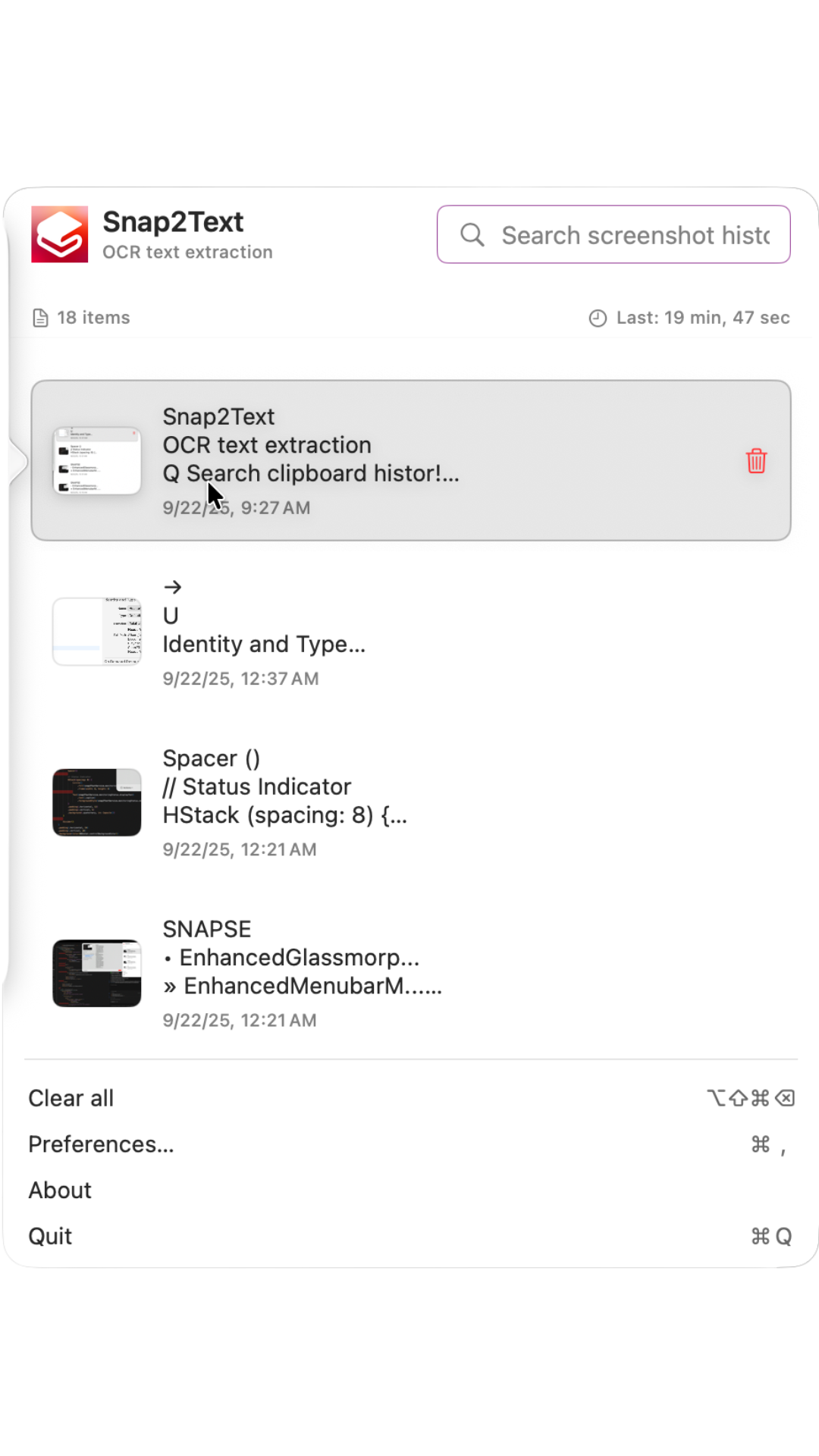
Searchable local history in the menu bar. Re-copy yesterday’s grab without hunting screenshots.
The loop
Near-instant from shortcut to clipboard — the whole point of the app.
- Press ⌘⇧O (Instant OCR)
- Drag a region over any on-screen text
- On-device Vision OCR copies the result instantly
- Use the compact HUD: Copy, Clean Up, Pin, or History
- Find it later in private searchable history
Private by design
OCR uses Apple’s Vision framework on your Mac. History lives locally. Snap2Text is a capture-and-reuse text utility — not a cloud OCR service, AI chat, or PDF workstation.
$9.99 once
One-time Mac App Store purchase. Includes Instant OCR, result HUD, cleanup, QR/barcode copy or open URL, and searchable on-device history. No subscription. No “AI Pro” upsell.
FAQ
How is this different from Live Text?
Live Text shines in Photos, Preview, and Safari. Snap2Text is the hotkey for everywhere else — region capture, video frames, locked docs — plus cleanup and searchable history.
Is processing private?
Yes. OCR runs on-device with Apple Vision. Captures and history stay on your Mac. The shipping product does not upload screenshots for cloud OCR.
What does $9.99 include?
Instant region OCR, result HUD (Copy / Clean Up / Pin / History), QR/barcode copy or open URL, searchable history, and text cleanup — all on-device. One-time purchase.
What is Snap2Text not?
Not a PDF converter, document OCR workstation, AI note-taking app, cloud capture service, general screenshot editor, or subscription productivity suite.
System requirements?
macOS 14 or later. Screen Recording and Accessibility permissions are required for region capture and the global hotkey.